NoiseTrace › Recordings

Press record. Keep the proof.

Sound, level, time and place in one entry — so a complaint becomes a record instead of a memory.

What every recording keeps

The app takes one location fix when recording starts, and stores the level data alongside the audio.

🎙️

Audio in its original form

Audio is stored as uncompressed PCM rather than a lossy format, so what you replay is what was recorded. Follow the curve to the loudest moment and listen to exactly that second.

📍

A place for every entry

Coordinates and an address are saved with each recording. Manage sites, filter the list by place, and find the entry you made in the corridor two weeks ago.

🎥

Video with the reading on it

The current level, time and place are burned into each frame of the video. When the sound alone does not show what caused it, the picture does.

PREMIUM

PDF measurement records

Turn a recording into a one-page measurement record, or tick several and merge them into a single PDF with a cover page and one page per entry.

A list you can actually search

Recordings are grouped by day, each row showing peak, average and Leq with its time and place. Search by date or place when the list gets long.

One document, many entries

Select the entries that belong to the same problem and merge them. The result is a single PDF — cover page first, then one page per recording — that you can attach to an email or hand to a landlord.

Deletion is reversible

With Premium, single and bulk deletes go to a 30-day recycle bin, so a mis-tap does not cost you the evidence.
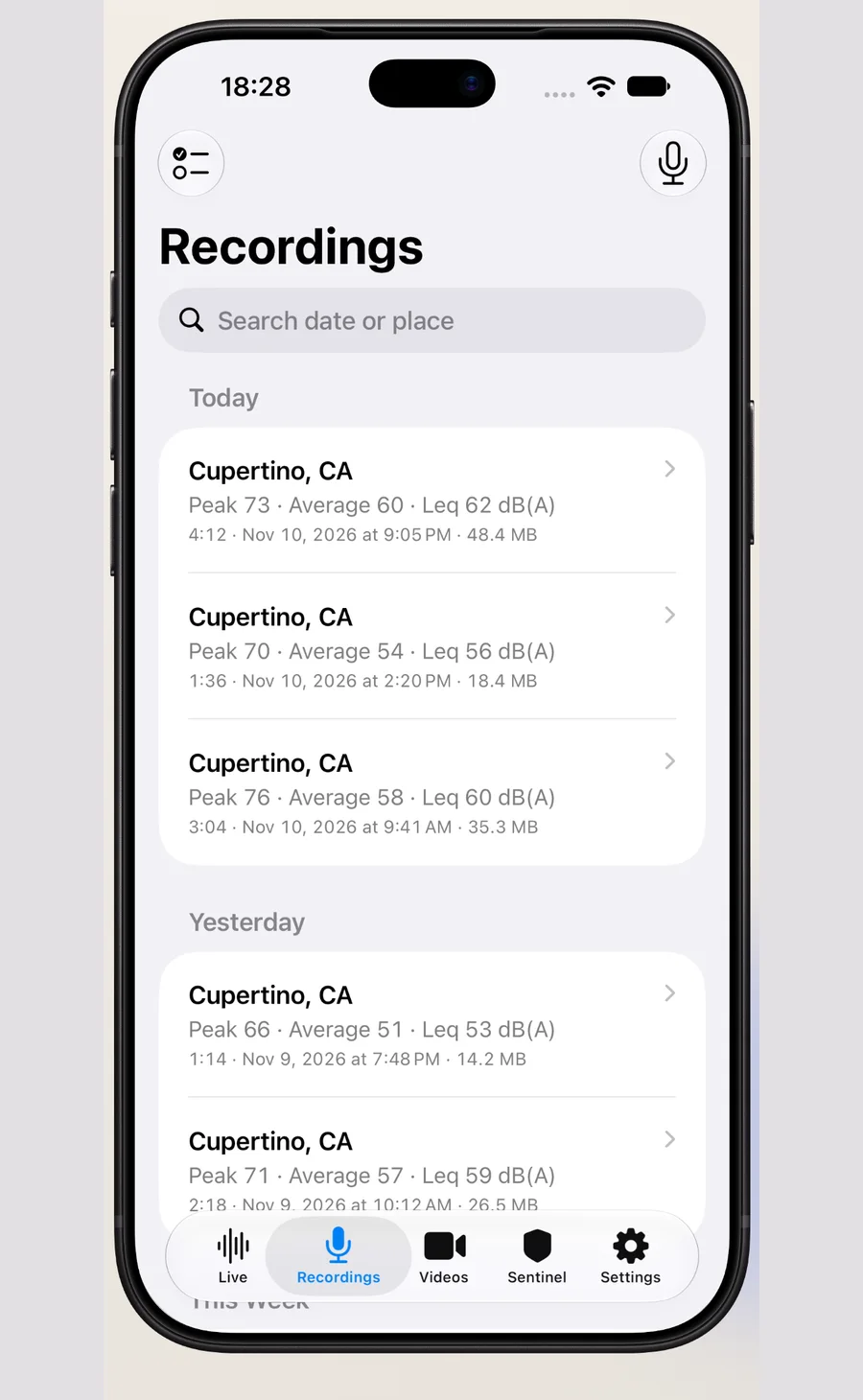

Recordings list with peak, average and Leq

From noise to a document

  1. Press record. The level, curve and spectrum start together, and the location is taken once at the beginning.
  2. Stop. The entry is saved with its time, duration, peak, average and place.
  3. Open it, replay the loudest moment, then export a PDF or merge several entries into one file.

Recording questions

Is the recording compressed?

No. Audio is kept as uncompressed PCM. Files are larger than a voice memo, and nothing is thrown away.

Where are recordings stored?

On this device, inside the app. They are not uploaded, and there is no cloud account. Deleting the app deletes them.

Can I record with the screen off?

For long unattended sessions use the Night Sentinel, which keeps listening with the screen off and notifies you when the level passes your threshold.

Turn noise into a record

NoiseTrace is on the App Store now. Measure the noise, keep the context — free to download, records stay on your device.

Download NoiseTrace on the App Store

Questions or feedback? Email service@tonesight.com